Convert 2D engineering drawings to 3D CAD
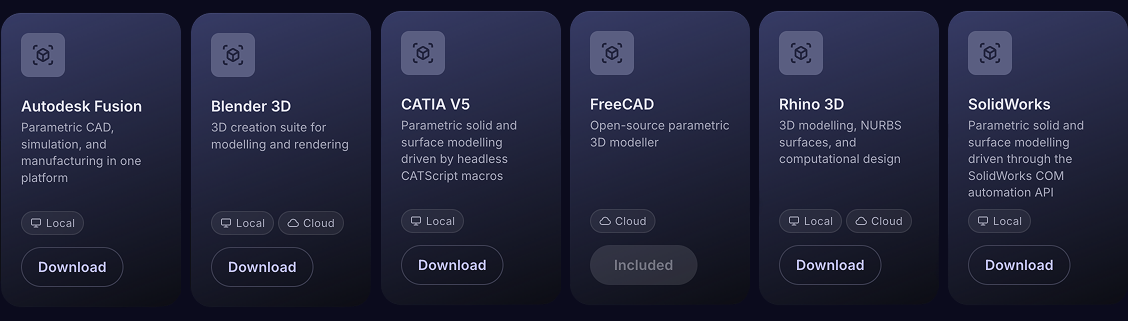
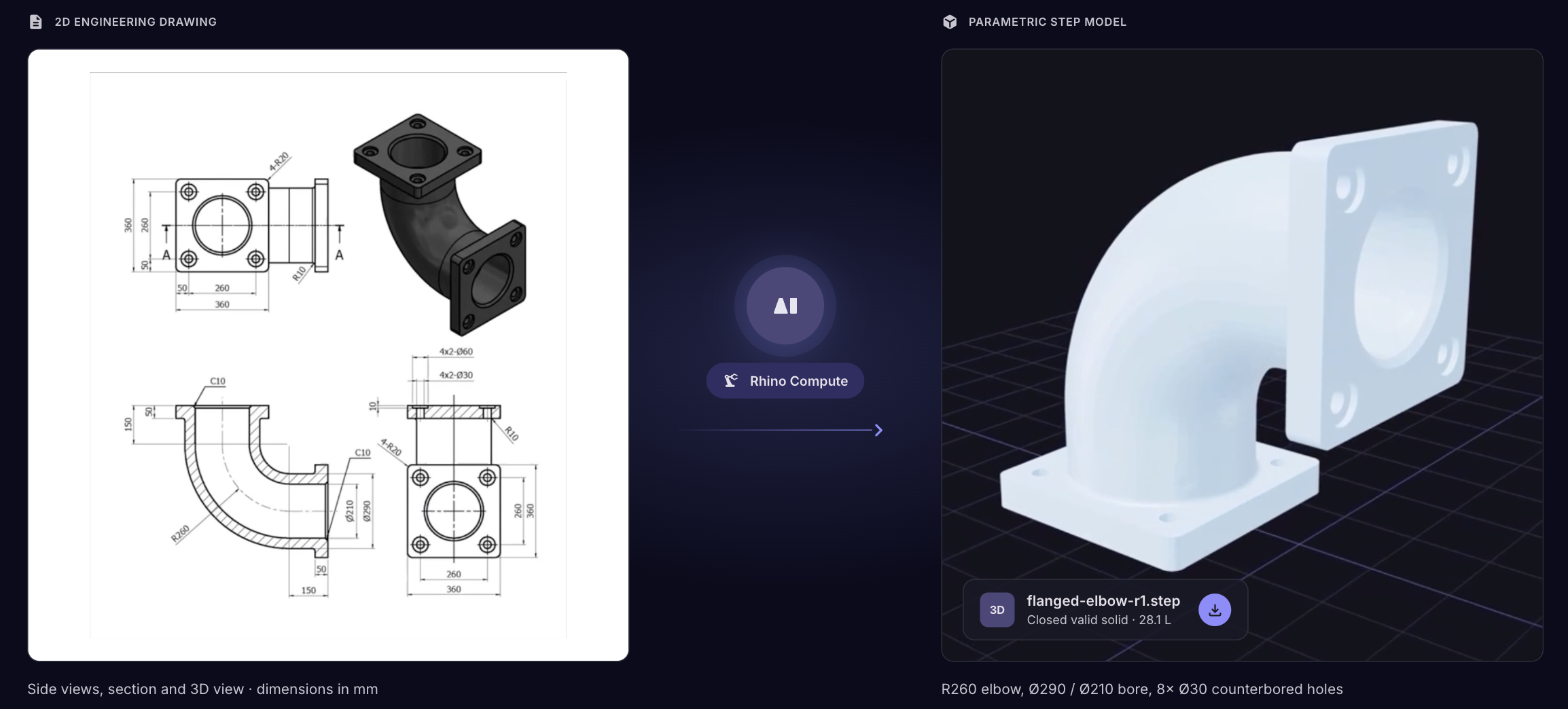
Aibuild OS reads a 2D drawings, reconstructs the 3D geometry inside your existing CAD software, including CATIA 5, Autodesk Fusion, Solidworks, Rhino, and exports as a STEP file or other formats. Your engineer reviews and approves the result.
Which CAD software does Aibuild OS work with?
What output formats does Aibuild OS produce?
STEP
2D / drawing formats
STL
PLY
BREP
3DM
FCStd
Mesh / polygon formats
OBJ
3MF
G-code
Watch a 2D drawing turn into a STEP file with Aibuild OS.
What an Aibuild OS pilot looks like.
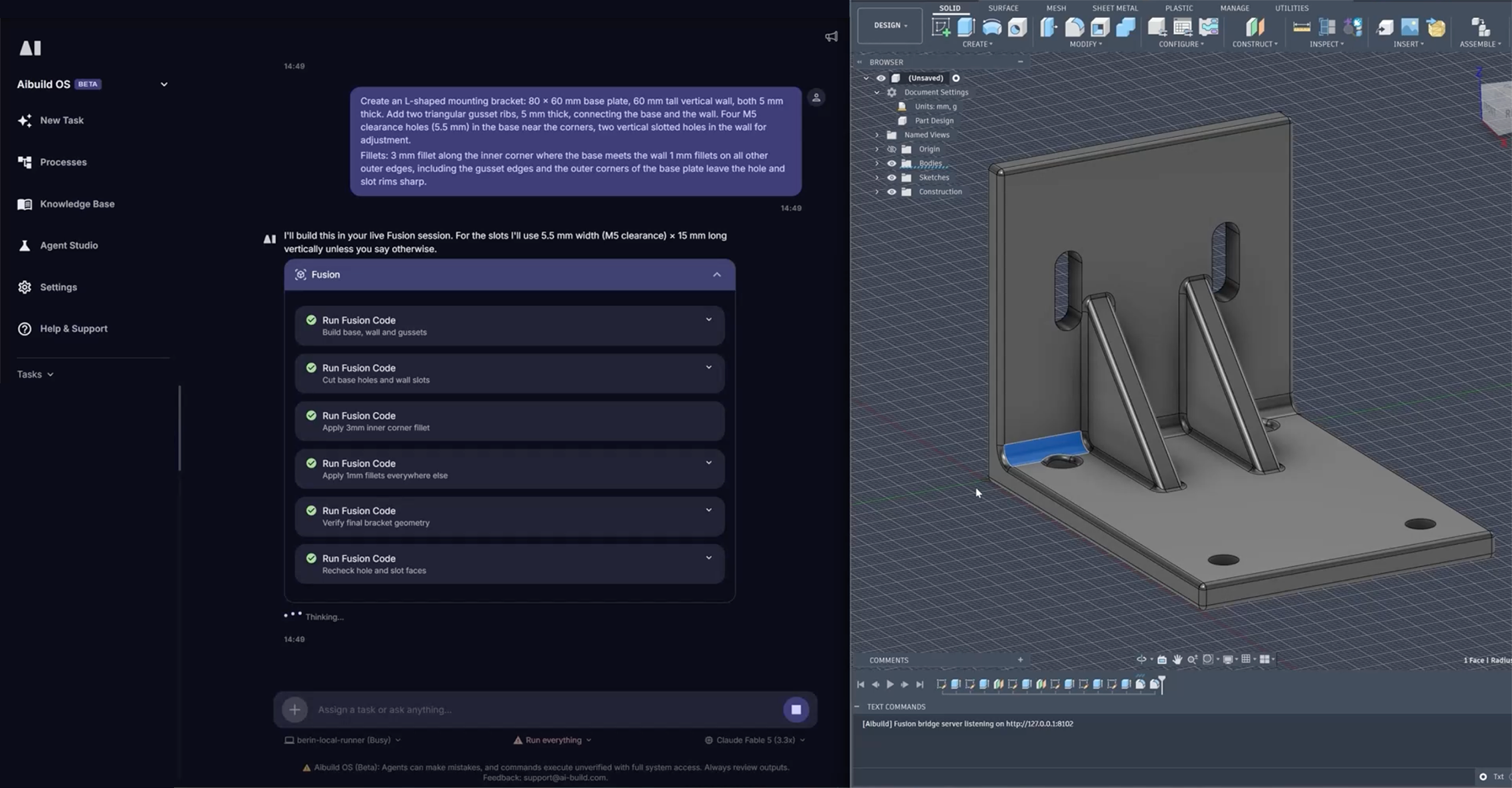
Text to 3D STEP file.
Is Aibuild OS secure?

FAQ
Can Aibuild OS convert a PDF drawing to a 3D model?
Yes.
You attach the PDF, and Aibuild OS read the drawing directly (views, dimensions, hole positions, features, title block info). From there you have two routes:
1. Parametric CAD model - Aibuild OS interpret the actual dimensions from the drawing and build real solid geometry, exported as a STEP file (or STL/other formats on request). This is dimensionally accurate and editable, and is the right choice for manufacturing.
2. AI 3D model - Aibuild OS generates a mesh (GLB) that visually resembles the drawing. This is good for a quick visual, but it's not dimensionally accurate.
Is Aibuild OS generated CAD accurate enough for manufacturing?
For clean drawings and standard features, the geometry is generally accurate. Tolerances, GD&T and material specifications require engineering review before use in production, which is why Aibuild OS routes every output through an approval step rather than sending it straight to a machine.
Does the model come out parametric or editable?
Yes, but the format you choose determines what you get. STEP and IGES export finished geometry, editable with direct-modelling tools.
The underlying model Aibuild OS builds is parametric, driven by named variables, so it stays editable through Aibuild OS indefinitely.
You can also ask for your CAD application's native format instead, which preserves the sketches and parametric history.
Do other Aibuild OS users have access to my drawings and CAD data?
No, your data and IP stay within your organisation and is never shared with or made accessible to other organisations.
Can Aibuild OS convert PDF, DWG or DXF drawings?
Yes. Vector PDFs exported from CAD, DWG and DXF all convert reliably where the views and dimensions are legible.
DWG and DXF are 2D vector formats, so the geometry is reconstructed rather than translated — Aibuild OS interprets the views and builds a solid model from them.
Scanned raster PDFs work, but accuracy depends on line quality and annotation legibility. Faded, hand-annotated or heavily revision-marked drawings are where results degrade.